Interactive builder for JavaScript‑compatible regular expressions.
• Live preview with match highlighting.
• Token & flag palettes for one‑click insertion.
• ChatGPT‑assisted pattern generation.
Pure vanilla JS—no frameworks.
File location
Place re.html anywhere and open in a modern browser (Chrome, Edge, Firefox, Safari).
AI description → ChatGPT
“Describe the pattern” textarea + Generate Pattern with ChatGPT button.
Sends prompt to OpenAI Chat Completion API, receives a raw pattern, inserts it into the Pattern field, and refreshes the preview.
API key storage
First AI call prompts for an OpenAI key and caches it in localStorage. Key is never transmitted to any server except api.openai.com.
Pattern field
Free‑text input; accepts any JavaScript regex source (no delimiters). Typing triggers live validation and preview.
Flags field
Accepts g i m s u y. Palette buttons toggle single‑character flags.
Token & Flag palettes
One‑click insertion of common tokens (e.g., \d, [ ]) and flags. Caret position preserved.
Sample text + preview
Paste or type any text; matches are wrapped in <span class="match"> with a yellow highlight. Works in real‑time.
Copy utilities
• Copy Pattern — raw pattern.
• Copy Escaped Pattern — doubles back‑slashes for embedding in string literals.
Accordion references
Five collapsible sections inside the page:
1️⃣ Token reference • 2️⃣ Flag reference • 3️⃣ Pattern cheatsheet • 4️⃣ How to use • 5️⃣ Get an OpenAI API key
Each may be expanded independently.
Full‑source reveal
Sixth accordion shows the entire HTML of the page, syntax‑highlighted via Highlight.js.
Security note
OpenAI key lives only in the user’s browser storage; no external backend required. For production, proxy API calls to keep the key server‑side.
Dependencies
Highlight.js (CDN) for code rendering. Everything else is native JavaScript and CSS.
Namespace
All logic wrapped in a single IIFE; CSS scoped to local class names—safe to embed in any page.
Introduction
Regular expression primer and prototype designer 🔍 (Written May 12, 2025)
Foundational concepts
Character classes
Definition : brackets that capture any one character from a specified set.
Common examples include [a‑z] for lowercase letters, \d for digits, and
\w for “word” characters (letters + digits + underscore).
Symbol
Meaning
Typical example
[abc]
Any of a, b, c
gr[ae]y → “gray”, “grey”
[^abc]
Any character except a, b, c
[^0-9]
\d
Digit (0‑9)
\d{4} → four‑digit year
\w
Word character
\w+ → identifier
Quantifiers
Purpose : dictate how many consecutive times a preceding token may occur.
The most frequent forms are * (0 +), + (1 +), ? (0‑1), and
{m,n} (explicit range).
Greedy quantifiers match as much as possible; append ? to switch them to lazy mode
(e.g. .*?).
Anchors and boundaries
Anchors pin patterns to positions rather than characters. ^ aligns with the start of a
string (or line in multiline mode), while $ attaches to the end. Word boundaries
(\b) are invaluable in token extraction, ensuring partial words remain untouched.
Groups and alternation
Parentheses gather sub‑patterns into logical units and capture their content. Bar
(|) creates alternatives. Non‑capturing groups (?:…) improve performance
when captures are unnecessary.
Prototype interface specification 🧩
Objective
Provide an in‑browser utility that assists users in composing and testing regular expressions in
real time, accompanied by contextual guidance.
Key features
Live evaluation : typed pattern instantly highlights matches within a sample text area.
Token palette : clickable buttons insert common metacharacters and
quantifiers.
Reference panel : collapsible cheat‑sheet mirroring the table above.
Flags toggles : check‑boxes for g, i, m,
s, u, and y.
Export function : generated expression can be copied as plain text or escaped
string literal.
User experience flow
Visitor selects a preset example or pastes custom text.
Pattern field captures the regular expression; matches render with subtle highlight.
Flag toggles and palette shortcuts refine the result interactively.
Finalised expression is copied or stored for later use.
Implementation blueprint ✨
HTML structure
<div class="regex‑builder">
  <header>Compose a regular expression</header>
  <section class="controls">
    <input id="pattern" placeholder="Enter pattern…" />
    <input id="flags"  placeholder="Flags (e.g. gim)" />
    <div id="palette"><!-- buttons injected by JS --></div>
  </section>
  <section class="sample">
    <textarea id="sampleText">Paste or type sample text here…</textarea>
    <pre id="preview"></pre>
  </section>
  <footer>
    <button id="copyRaw">Copy /<button>
    <button id="copyEscaped">Copy escaped</button>
  </footer>
</div>
Regular Expression and Deterministic Finite Automaton (DFA)
Undergraduate Students
Deterministic Finite Automata
A deterministic finite automaton (DFA) is a simple computational model used to recognize patterns in input strings. A DFA consists of a finite set of states, an input alphabet, a transition function mapping each state and input symbol to a next state, a designated start state, and one or more accepting (final) states. As the automaton reads an input string symbol by symbol, it moves between states according to the transition function. If the automaton ends in an accepting state after processing the entire input, the string is considered accepted (i.e., part of the language recognized by the DFA). DFAs are a foundational model in formal language theory for defining the class of regular languages .
Regular Expressions
A regular expression is a symbolic notation for describing sets of strings (languages). Regular expressions use operators such as union (often represented by '|'), concatenation, and Kleene star (denoted '*') to build complex patterns. For example, the expression (a|b)* denotes the set of all strings composed of zero or more occurrences of 'a' or 'b'. Regular expressions correspond to regular languages because every language described by a regular expression can be recognized by some DFA. Regular expressions are commonly used in programming and text-processing tools for pattern matching. In formal language theory, they describe exactly the same class of languages as DFAs.
Equivalence and Relationship
A fundamental theorem in formal language theory states that DFAs and regular expressions are equivalent in power: they define the same class of languages, known as the regular languages . This result is sometimes referred to as Kleene's Theorem . It implies that for every regular expression there is an equivalent DFA that accepts the same language, and vice versa. Converting a regular expression into a DFA often involves first creating a nondeterministic finite automaton (NFA) using standard constructions, and then applying the subset construction to obtain a DFA. Conversely, one can derive a regular expression that represents the language of a given DFA (though the resulting expression may be complex). These concepts demonstrate that DFAs and regular expressions are two equivalent ways to describe regular languages, each offering a different perspective on pattern recognition in computation theory.
Comparison
The table below highlights key aspects of DFAs and regular expressions:
Aspect
DFA
Regular Expression
Definition
A state-based automaton defined by states and transitions.
A symbolic formula using union, concatenation, and Kleene star.
Representation
Graphical or tabular transition structure.
Algebraic pattern syntax.
Recognized Language
Regular languages (exactly).
Regular languages (exactly).
Conversion
Can be constructed from a regular expression (via NFA).
Can be converted to a DFA (via NFA).
Typical Use
Formal language modeling, compilers (lexical analysis).
Text searching and validation in software tools.
Graduate-Level Researchers
Formal Definitions and Properties
At the graduate level, DFAs and regular expressions are examined with greater mathematical formality. A DFA is formally defined as a 5-tuple (Q, Σ, δ, q₀, F) , where Q is a finite set of states, Σ is the input alphabet, δ: Q × Σ → Q is the transition function, q₀ ∈ Q is the initial state, and F ⊆ Q is the set of accepting states. A regular expression can be defined by a recursive grammar: the empty string ϵ and each symbol in Σ are regular expressions, and if R and S are regular expressions, then (R|S) , (RS) , and (R*) are also regular expressions. Graduate students study important properties of regular languages, including closure under union, concatenation, and Kleene star, as well as intersection and complement. The Myhill-Nerode theorem provides a characterization of regular languages in terms of distinguishable strings, and the pumping lemma is a fundamental result for proving that certain languages are not regular.
Equivalence, Constructions, and Complexity
Graduate research often involves explicit constructions to demonstrate the equivalence of DFAs and regular expressions. A standard method is Thompson's construction , which builds an NFA from a given regular expression, followed by the subset construction to convert that NFA into an equivalent DFA. Conversely, one can eliminate states from a DFA or apply Arden's lemma to derive a regular expression that represents its language. These transformations illustrate the fundamental equivalence between the two formalisms. In terms of complexity, converting an NFA (or regex) to a DFA can cause an exponential increase in the number of states. DFA minimization can be applied to reduce states and yields a unique minimal automaton for each language. In contrast, simplification of regular expressions is computationally harder and no canonical minimal form exists. These considerations motivate research on the state complexity and descriptive complexity of regular languages.
Aspect
DFA
Regular Expression
Formalism
Graph-based model (states and transitions).
Algebraic syntax with operators (|, concatenation, *).
Minimization
A unique minimal DFA exists for each regular language.
No unique minimal regex; minimization is PSPACE-hard.
Closure Properties
Closed under union, intersection, complement, etc., via automaton constructions.
Closed under union, concatenation, star; intersection/complement require additional constructs.
Conversion
From regex: via Thompson's NFA + subset construction.
From DFA: via state elimination or algebraic methods.
Decision Problems
Equivalence, emptiness, membership are decidable (often efficiently).
Equivalence (of regex) is PSPACE-complete; membership is linear-time.
Technical Professionals
Application of Regular Expressions
Technical professionals often use regular expressions in practical applications such as text processing, data validation, and log analysis. Regular expressions are implemented in many programming languages and tools (for example, grep, sed, Perl, Python, and Java) to perform pattern matching. These implementations frequently include extended features beyond the basic formalism, such as capturing groups, backreferences (allowing the engine to match the same substring again), and lookahead and lookbehind assertions. While these features provide additional expressive power, they can also make the matching process more complex and, in some cases, allow matching of non-regular patterns. Professionals should understand that the core theory applies to the subset of regex features that remain within regular language constraints.
Text Search and Editing:
Using regex to search, match, or replace text in files or code.
Input Validation:
Checking data formats (such as emails, dates, or identifiers) against pattern rules.
Lexical Analysis:
Tokenizing input in compilers or interpreters (many lexer generators convert regex patterns into DFAs).
Data Extraction and Transformation:
Extracting information from logs, HTML, or structured text using regex in scripts.
Theoretical Foundations in Practice
Understanding that core regular expressions correspond to finite automata provides insight into writing efficient patterns. For instance, any pure regular expression can, in principle, be transformed into a DFA, which means that matching can be performed in linear time relative to the input size. Some modern tools actually convert regex patterns into DFAs or similar state machines under the hood for fast matching. Other regex engines use backtracking algorithms that may exhibit exponential-time behavior on certain patterns. Patterns involving heavy backtracking (such as nested quantifiers) can lead to performance issues. It is advisable to design regexes to be as unambiguous as possible and to anchor patterns (using ^ and $ ) when appropriate to limit the search space.
The table below outlines differences between theoretical regular expressions and practical regex engines:
Feature
Theoretical Regex
Practical Regex Engine
Operators
Union (|), concatenation, Kleene star (*) only.
Includes these plus quantifiers (e.g. +, ?, {m,n}), wildcards (.), character classes, anchors (
^
,
$
), etc.
Language
Exactly the class of regular languages.
Extended by backreferences and lookaround (can match some non-regular patterns).
Matching Algorithm
Can be implemented via NFA/DFA construction (guaranteed linear time).
Often implemented with backtracking or hybrid algorithms (potential exponential time).
Performance
Matching is guaranteed to be linear time in the input size.
Performance may degrade to exponential time for complex patterns if not carefully designed.
Typical Use
Theoretical analysis and language processing.
Practical searching, text processing, and validation tasks.
By grounding regular expression practice in automata theory, professionals gain a deeper understanding of why certain patterns are efficient and others are not. The equivalence of DFAs and regular expressions assures that any properly constructed pattern corresponds to some finite automaton. This theoretical foundation can guide the composition of complex regexes in a principled way, helping to ensure they remain efficient and correct when applied in software systems.
Written on May 12, 2025
Exploring the Spectrum of Ink Colors with Nibs
Nibs and Fountain
(A) Kakimori Brass Nib with Cherry Wood Pen Holder: My Primary Tool for Ink Exploration
I primarily use the Kakimori Brass Nib with Cherry Wood Pen Holder to explore a wide variety of inks. Its dip pen design allows for easy experimentation with different shades and color variations. This flexibility is invaluable when trying new combinations without the need for dedicated fountain pen refills, which offers a distinct advantage in the creative process.
One of the standout features of the Kakimori Brass Nib is its 360-degree usability. Unlike traditional nibs that require precise angles for optimal writing or drawing, the Kakimori nib performs effortlessly from any angle. This feature proves ideal for experimenting with diverse writing and drawing techniques, as it allows for a more fluid and intuitive experience without the limitation of holding the pen at a specific angle.
Another noteworthy aspect of the Kakimori Brass Nib is its ability to create variable line thickness depending on how the pen is angled. By lowering the pen angle, thicker and bolder strokes can be achieved. This is particularly beneficial for someone like me, who prefers broader lines that exceed the usual broad (B) or double broad (BB) nib sizes found in fountain pens. The adaptability of the nib enhances control over the expressiveness and style of the work.
In addition to its versatility, the Kakimori nib has an impressive capacity to hold more ink compared to most typical dip pen nibs. Its unique design allows it to absorb a generous amount of ink, enabling longer writing or drawing sessions between dips. This significantly reduces the need for frequent re-dipping, fostering a smoother and more consistent creative flow.
(B) Lamy 2000 Fountain Pen: A Personal Experience
Up until trying the Lamy 2000 F nib, I believed the Pilot Prera was leading the competition against the Lamy Safari (with EF, F, M, B nibs, and 1.5mm, 1.9mm for calligraphy) and the TWSBI Eco B nib. Then, I heard about the buttery-smooth writing experience of the Lamy 2000 and decided to get one. Initially, it was disappointing—the Lamy Safari felt much better while writing. However, after exchanging the pen, suspecting my Lamy 2000 might be defective, I received a replacement that did indeed glide across the paper with the buttery smoothness it’s known for.
(C) Sailor Pro Slim F Nib: My Brief Encounter
I recently had the chance to try the Sailor Pro Slim with a fine (F) nib—an experience that reinforced Sailor’s reputation for delivering a more tactile, “pencil-like” feedback. The pen’s construction and design, akin to Sailor’s time-honored tradition, were undeniably elegant. In hand, the Pro Slim was lightweight and well-balanced, making prolonged writing sessions comfortable from an ergonomic standpoint. However, the nib itself provided a noticeable “bite” on the paper: a deliberate level of feedback that some writers find pleasantly precise, but one that did not align with my preference for a smooth glide. Given my penchant for a buttery-smooth writing experience, the Sailor’s firmer feedback felt less satisfying.
In contrast, my Lamy 2000 consistently delivers the effortless flow and soft contact with the page that I enjoy most. While the Sailor Pro Slim F nib excels at fine line work and controlled strokes—particularly beneficial for annotating or detailed note-taking—I ultimately gravitated back to the Lamy 2000 for a more fluid writing feel. That “buttery” sensation, so evident in the Lamy’s gold nib, simply resonates better with my personal writing style. Although the Pro Slim stands out for its precise, dependable performance and Japanese craftsmanship, it serves as a reminder that the ideal writing feel is deeply subjective—what some celebrate as satisfying feedback can feel like unwanted scratchiness to others.
(D) Lamy 2000 Stainless Steel Fountain Pen, 14 K EF Nib: A Magnetic—but Heavy-Handed—Companion
My newest acquisition—the all-steel, 14 K extra-fine (EF) Lamy 2000—immediately announces itself by weight alone. Set it beside the lightweight Makrolon F version and the difference is striking; the dense stainless-steel body feels almost monumental in the hand. That heft, coupled with the mirror-like sheen of the brushed steel, gives the pen a jewelry-level presence that is as emotive as it is functional. I expected the added mass to be fatiguing during long sessions, yet it has proved surprisingly comfortable: the balance point sits low toward the nib, letting the pen rest in the web of the hand rather than drag at the fingertips.
Where the pen diverges from my expectations is the EF nib itself. Lamy nibs are famously broader than their Japanese counterparts—an EF here sketches closer to a Japanese fine-medium—but even with that allowance, this particular extra-fine writes a noticeably narrower, drier line than my Makrolon F. The precision is admirable, yet it lacks the luxuriant “butter” that made the F nib my benchmark for smoothness. On textured papers the nib can verge on feedback rather than glassy glide, a trait that some may enjoy for its control but that leaves me nostalgic for the softer ride of the Makrolon F.
Paradoxically, the traits that hold this stainless-steel model back from becoming my daily driver are the same ones that keep luring me back to it. The cool, weighty barrel feels reassuring every time I uncap it; its clean, seamless Bauhaus lines are visually irresistible; and the subtle spring of the in-house gold nib adds just enough character to justify the premium price. Though I award higher marks overall to my Makrolon F—now confirmed as my lifelong “grail” pen—the steel Lamy 2000 has earned a permanent spot as a distinguished second. It reminds me that sometimes the joy of a fountain pen lies less in perfect performance and more in the tactile and emotional resonance it brings to every page.
(E) Lamy dialog cc, 14 K Gold F Nib, Dark Blue — First Impressions (revised June 3, 2025)
Ever since the Makrolon-bodied Lamy 2000 (F) became my benchmark for smoothness, I’ve been intrigued by Lamy’s other flagship designs. The dialog cc caught my eye for two reasons: its sleek, cap-less “twist” mechanism and its cartridge-converter filling system, which mirrors the familiar convenience of a Safari rather than the piston of the 2000. Wanting a touch more ink flow, I opted for the fine (F) nib instead of an extra-fine.
Feel in the hand: The dialog cc sits between my two 2000s in heft—noticeably heavier than the Makrolon but lighter and less top-heavy than the stainless-steel model. Its barrel is also thicker, giving my fingers a broader surface that feels reassuring without being cumbersome. The dark-blue lacquer and seamless lines add a refined, almost jewelry-like presence that still reads unmistakably as Lamy’s Bauhaus DNA.
Writing experience: On paper, the fine nib now reveals what feels like an extra cushion compared with the Makrolon 2000: the tipping glides with a subtle, plush give that softens every down-stroke. Ink flow is generously wet yet well-behaved, delivering expressive shading without flooding. The only caveat observed so far is intermittent “dry-start” behaviour after prolonged pauses; the exposed feed seems to allow a trace of evaporation, so the first millimetre of a resumed line writes marginally darker until normal flow resumes. Although easily remedied with a quick priming stroke, this quirk contrasts with the always-ready piston-filled 2000.
Verdict so far: The dialog cc’s twist-deploy mechanism remains both functional and satisfying, eliminating cap-handling entirely. Its smoother, cushioned ride surpasses the stainless-steel 2000 EF and feels marginally plusher than the Makrolon F, though the occasional dry-start keeps the Makrolon in first place for absolute reliability. Even so, the dialog cc’s blend of ceremony, build quality, and understated elegance secures its role as a distinguished companion—ideal for moments when writing deserves an extra measure of tactile luxury.
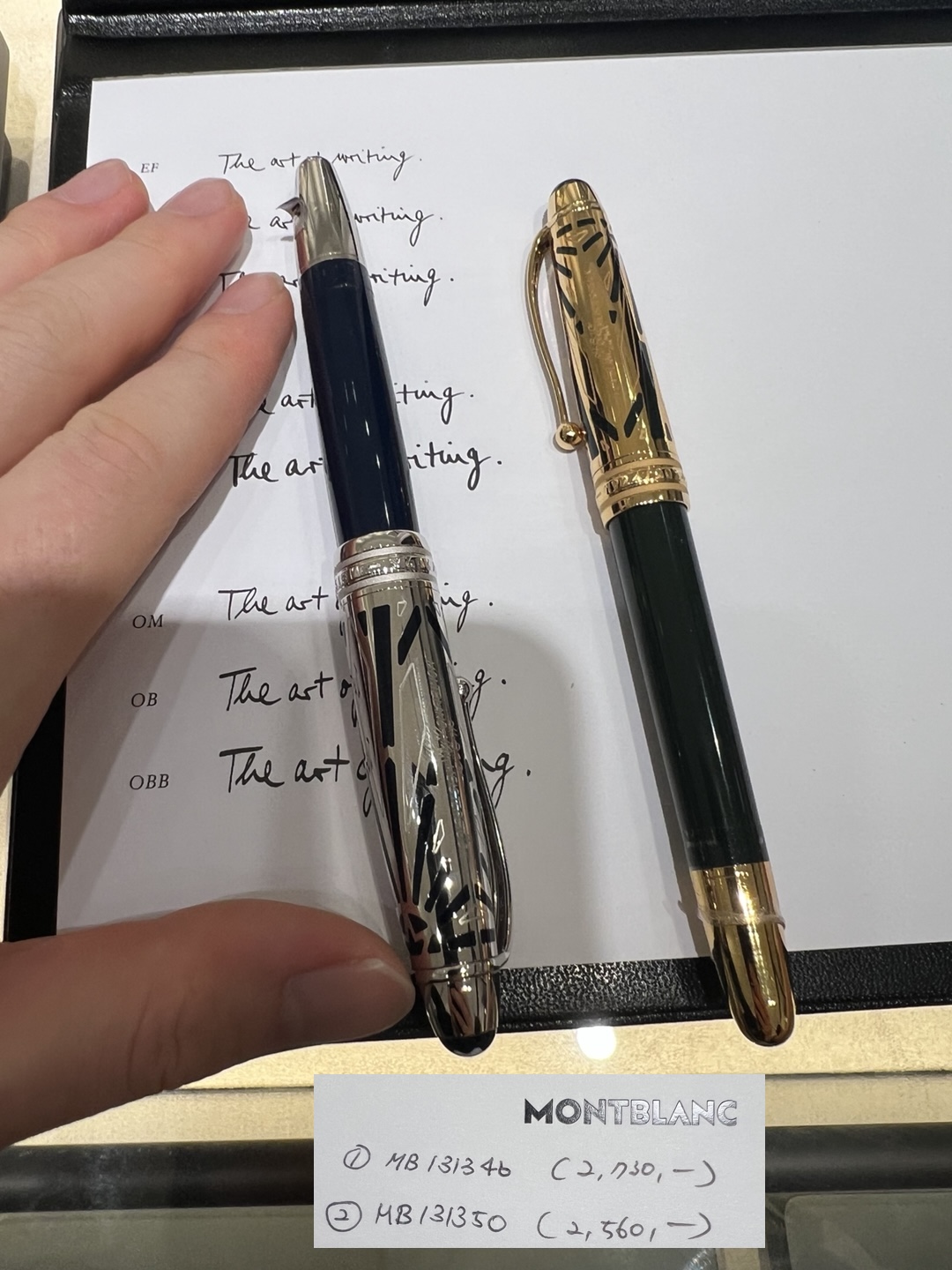
(F) Montblanc 100th Anniversary Fountain Pen (MB131346 vs MB131350)
Among several 100th anniversary commemorative Montblanc editions, MB131346 and MB131350 stood out. Preference settled on MB131350: dark green serenity with a subtle inner glow, proportions and weight aligning naturally with the hand.
Purchase was deferred due to the elevated price, yet the handling impression remains vivid: balanced, gently forward, reassuring without fatigue. EF and F nibs were tried; the EF nib’s silk‑edged glide offered intimate precision and immediately became the favored feel, while the F was smooth but less emotionally engaging.
Material perception was nuanced: the boutique explanation emphasized “steel,” yet in hand it felt more like a hybrid construction (denser metallic elements in specific structural areas rather than a uniformly solid steel body). That partial metal integration provided satisfying heft without the continuous cold mass of a fully stainless model. Visually, the gold‑tone nib set a warm focal point against the cool green body, enhancing the quiet elegance.
MB131350 thus remains an admired encounter rather than an acquisition—remembered for its dark green calm, right-sized ergonomics, selectively weighted build, and an EF nib sensation that lingers like a briefly perfect musical chord.
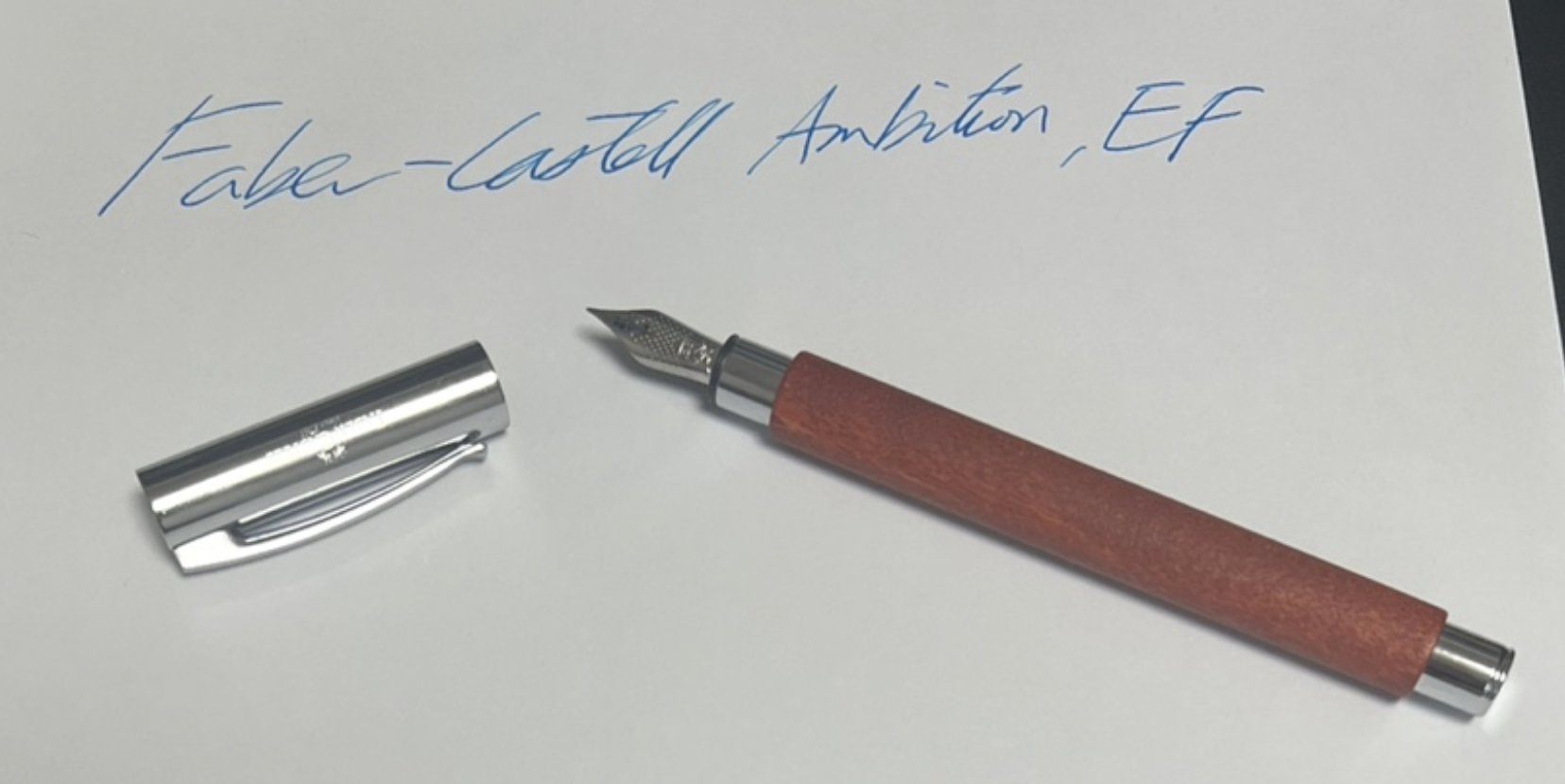
(G) Faber-Castell Ambition, EF Nib — Beautiful Shell, Flat Soul
The Faber-Castell Ambition with an EF nib is a beautifully machined, chrome-clad cylinder that looks every bit the executive accessory, yet its writing experience leaves me cold. The firm stainless-steel nib lays a dry, exceptionally narrow line that glides without scratch but offers no cushion or character—each stroke feels technically correct, politely smooth, and emotionally flat.
Ink flow is conservative enough to starve shading, while the pen’s straight, front-weighted profile and slippery metal grip make longer sessions fatiguing unless posted. In short, the Ambition is flawless in build and start-up reliability, but it lacks the tactile spark that makes me reach for my more expressive pens, remaining admired on the tray rather than actively used.
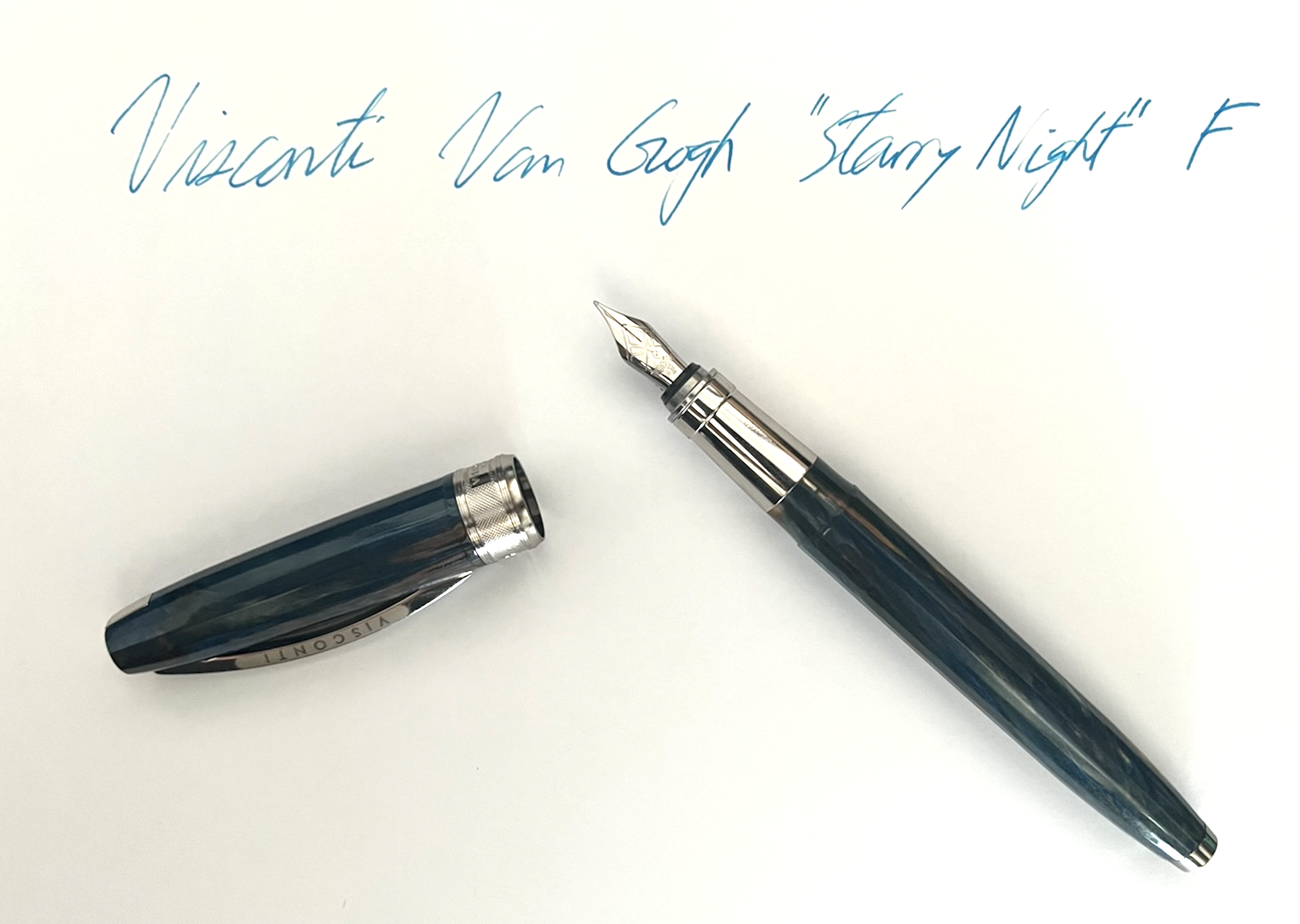
(H) Visconti Van Gogh “Starry Night,” F Nib — Magnetic Snap, Ordinary Feel
The most charming moment with this pen happens at rest: the cap closes magnetically with a clean, satisfying snap. That confident pull is delightful every time and gives the pen a small, premium ritual that I genuinely enjoyed.
On paper, however, the F nib didn’t click for me. It’s competent and behaves like a perfectly normal fountain pen, but it never crossed into that “I can’t put it down” territory. Others may find the feel pleasant, yet for my preferences it lacked the allure—the kind of tactile charm that makes a pen addictive rather than merely adequate.
By contrast, I consistently find more engaging feel from my Lamy 2000 F, Lamy dialog cc 14 K F, Montblanc EF (which I don’t own), and even the Pilot Prera FPR‑3SR‑SGY M, each of which offers a memorable glide or cushion regardless of price. Next to those, the Van Gogh’s F writes fine but feels emotionally flat.
To be clear, writing feel is the deciding factor for me. The pen’s design, finish, and in‑hand comfort present no particular issues, and that magnetic cap is genuinely satisfying. But because the nib’s sensation doesn’t captivate my hand, this beautiful object remains more admired than reached for.
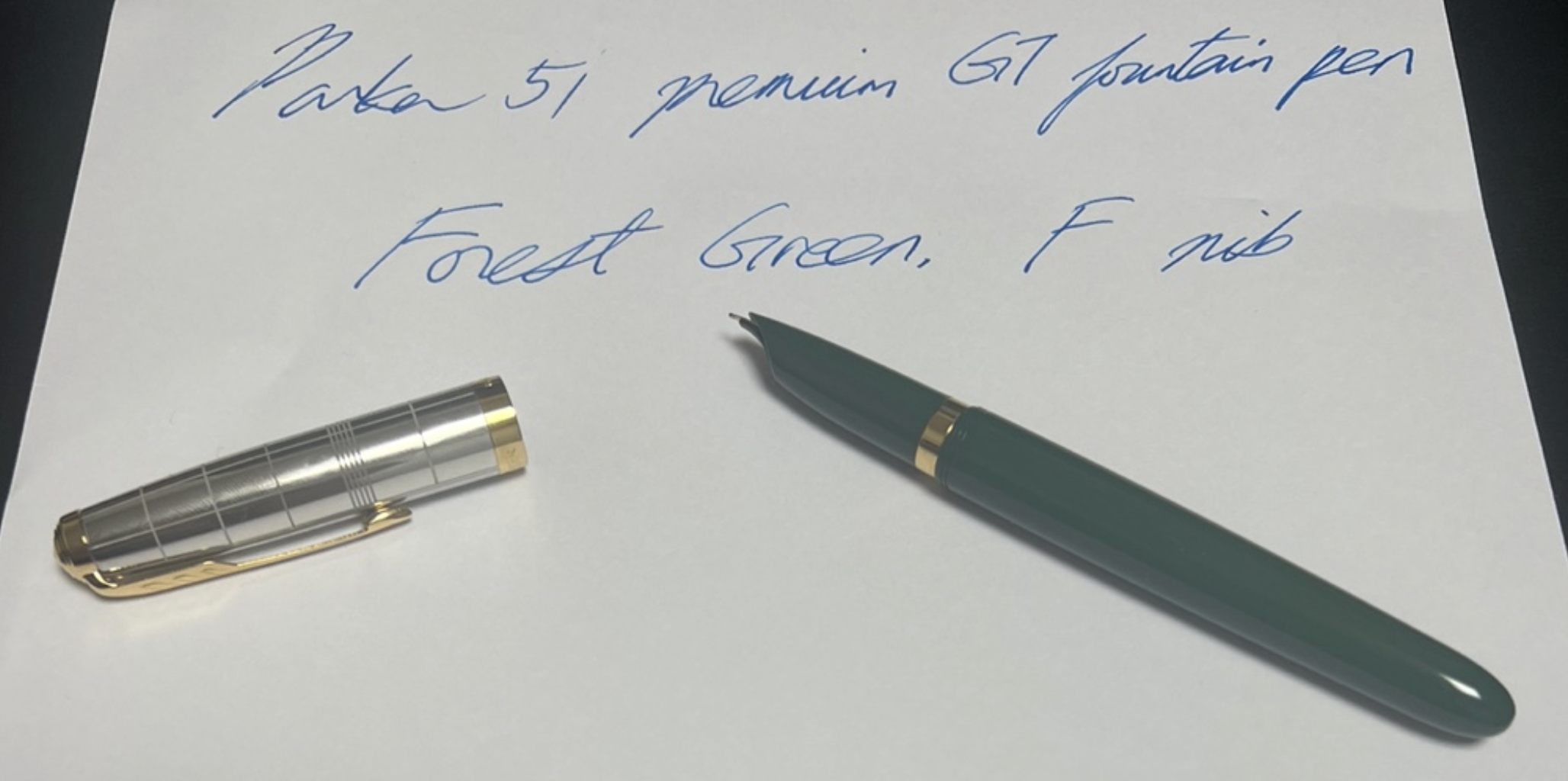
(I) Parker 51 Premium, Forest Green with Gold Trim (GT), Fine — Quick take
The screw-cap slows quick note-taking and breaks the writing rhythm. The hooded nib conceals visual cues, making the grip position feel ambiguous rather than intuitive. The Fine lays a neat, conservative line, but the overall handling lacks the tactile engagement preferred in daily drivers. In short: elegant in Forest Green GT, yet not my type.
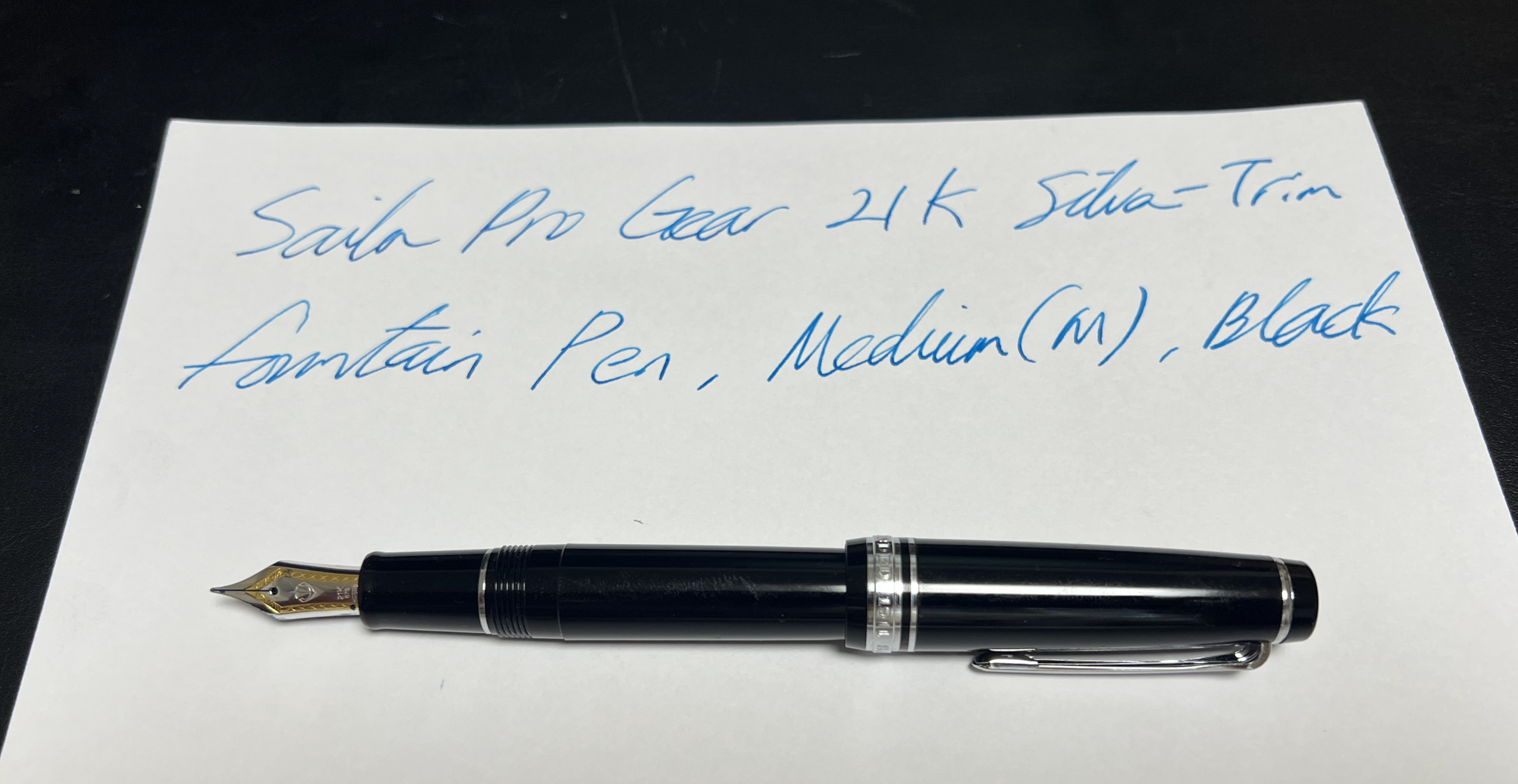
(J) Sailor Pro Gear 21K Silver-Trim Fountain Pen, Medium (M), Black — Second Only to the Lamy 2000
This Pro Gear ranks as a clear runner-up to the Lamy 2000 and feels far superior to the Sailor Pro Slim F for my hand.
The 21K Medium nib preserves Sailor’s subtle, pencil-like feedback but spreads it across a broader, cushioned footprint,
transforming the sensation from sharp to satisfyingly tactile. Because ultra-fine nibs are not my preference, the M’s
thicker, more confident line feels like the right match—textured enough to engage, yet smooth enough to flow.
On the page, the medium nib softens that micro-feedback into a creamy, controlled glide rather than a scratch.
The line has presence and body, shades well, and avoids the glassy “skate” that can dull character. Flow is generous
without flooding, helping inks show nuance while keeping edges tidy.
In hand, the flat-top Pro Gear in classic black with silver trim looks composed and purposeful. The shape suits the grip
naturally; weight and balance are easy to forget during longer sessions, which is the highest compliment. The one
drawback is the screw-on cap—it slows quick note-taking—but it seals securely and suits the pen’s more deliberate rhythm.
As a daily companion when a thicker, expressive line is desired, this pen preserves Sailor’s precision while adding
comfort and richness. It is much better than the Pro Slim F by feel and stands as a convincing runner-up to the Lamy 2000
in this rotation.
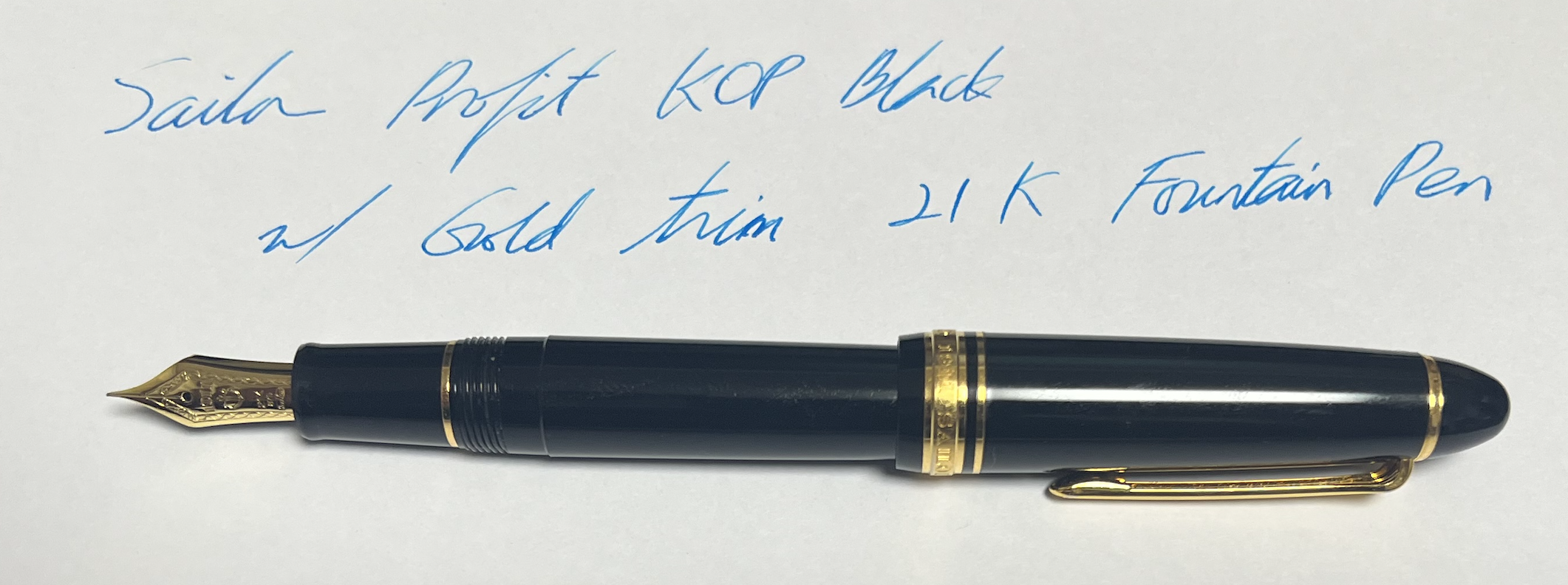
(K) Sailor Profit KOP Black with Gold Trim 21K Fountain Pen
After being deeply satisfied with the Sailor Pro Gear 21K Silver-Trim Fountain Pen, Medium (M),
my curiosity naturally turned to Sailor’s top-tier model: the Profit King of Pens. From the very
first stroke, the writing feel revealed itself as distinctly premium—soft, almost cushiony in a way
that immediately signals the high-end pedigree. Though I am no expert, each component of the pen
feels crafted from the finest materials, imparting a tangible sense of quality at every touchpoint.
That said, I still find myself preferring the Pro Gear 21K M. Perhaps it’s because this KOP has not
yet “broken in” with my hand, or perhaps I was unlucky with this particular unit, but the ink flow
has not been as generous or consistent as I expected. Instead of the smooth, uniform delivery I hoped
for, the flow feels oddly uneven at times. This stands in contrast to the effortless performance of the
Pro Gear, which continues to deliver exactly the kind of lively, satisfying line I most enjoy.
Even so, the Profit KOP’s luxurious presence and supple writing touch leave no doubt about its flagship
status. While my current experience ranks the Pro Gear slightly higher for daily use, the KOP remains a
pen of unmatched gravitas—one that might reveal more of its strengths with time and familiarity.
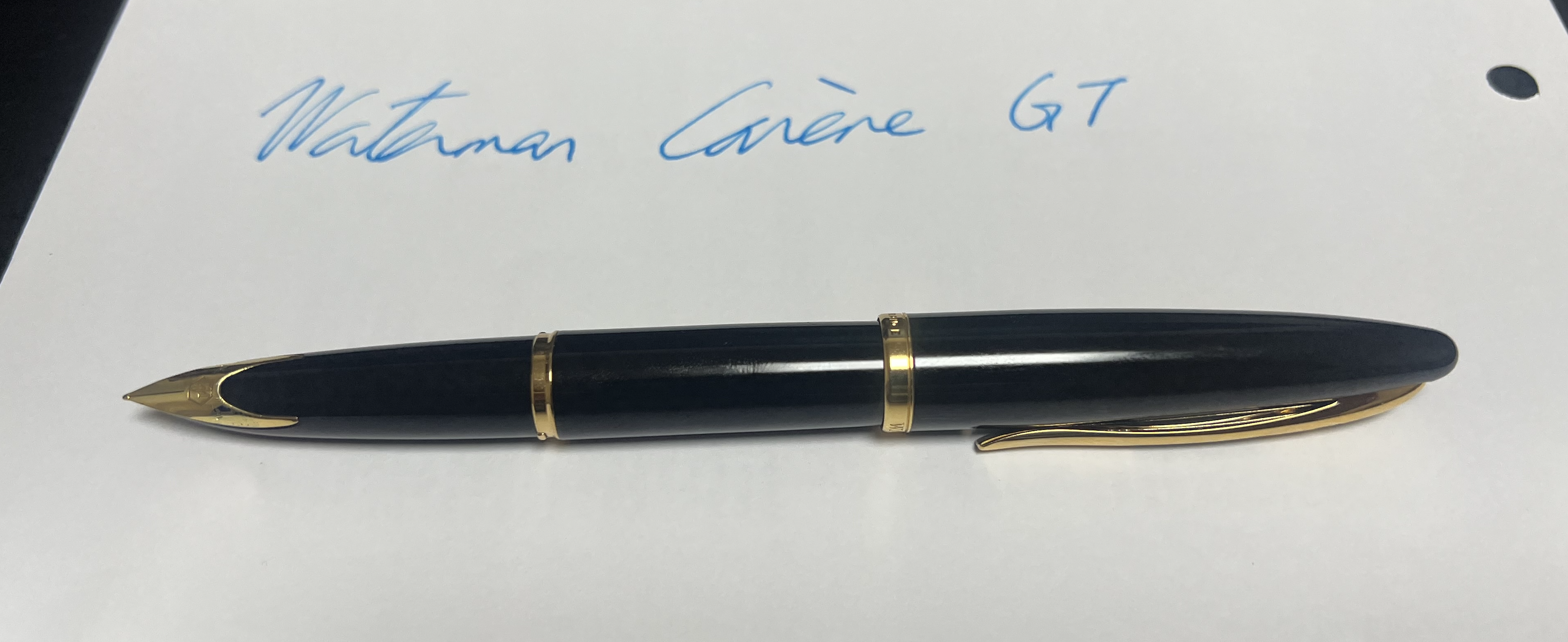
The Waterman Carène GT is undeniably one of the most visually distinctive modern fountain pens. Its defining feature—the integrated nib that flows seamlessly from the lower body—creates a silhouette so unconventional that some may not immediately recognize it as a fountain pen. The sculpted lines, glossy lacquer, and gold trim give the Carène a strong presence, almost more akin to a design object than a writing instrument.
Despite its striking appearance, the writing experience proved far less compelling. The nib, though elegantly integrated, delivers a feel that resembles an ordinary ballpoint more than a fountain pen. There is little of the tactile nuance or expressive glide usually associated with higher-end nibs; instead, the strokes feel plain, uniform, and emotionally flat. While the pen moves reliably across the page, the sensation does not rise above that of a general-purpose writing tool.
This contrast between exterior artistry and internal performance creates a degree of dissonance. The Carène commands a premium price, yet the writing feel does not reflect the same level of refinement. The craftsmanship of the outer body is impressive, but the nib’s subdued personality leaves little incentive to reach for the pen during daily use.
In essence, the Waterman Carène GT stands as a beautifully sculpted object—memorable in form, distinctive in construction, and instantly recognizable. However, its understated writing feel, lacking the expressive charm of more engaging nibs, places it firmly in the category of admired rather than actively chosen tools.
Ink Exploration: Shades of Green, Cyan, and Blue
(A) 2D Color Spectrum: Hue (X) vs Luminance (Y)
I have attempted to illustrate the inks I own within a 2D spectrum to reflect their relative positions. However, I must clarify that I do not have official CMYK values for the ink colors presented here. The RGB values provided are personal estimates, intended to offer a general representation of each ink's color. That said, these values may not fully capture the true shades, and I encourage caution when using them, as there may be some inaccuracies.
Green (Hue 120°)
Cyan (Hue 180°)
Blue (Hue 240°)
Personal Ink Preferences (As of 2024): Among all the inks I’ve explored, my top choice is Private Reserve Electric DC Blue. Its vibrant hue and exceptionally smooth writing experience truly set it apart from the rest. While Japanese Iroshizuku inks, particularly Ama-Iro, offer stunning colors, they tend to feather more easily when used with lower-quality paper, which can detract from the overall writing quality. In contrast, both Private Reserve Electric DC Blue and Montblanc Royal Blue inks exhibit significantly less feathering, ensuring cleaner and more precise lines.
However, there is a slight drawback with Montblanc Royal Blue—its purplish undertone doesn't quite align with my personal aesthetic preferences. Despite this, its reduced feathering makes it a strong contender. Nevertheless, the combination of vibrant color and flawless performance of Private Reserve Electric DC Blue makes it my definitive favorite, perfectly balancing both beauty and functionality.
Change of My Ink Favorite: Now Naples Blue – Feb 2, 2025:
After many writing sessions and further experimentation, my ink preference has now shifted from Private Reserve Electric DC Blue to Private Reserve Naples Blue. Although online representations often extol the vibrancy of Electric DC Blue, I have discovered that Naples Blue exhibits a noticeably brighter and more refreshing tone in practice. Its crisp, invigorating hue not only enhances the aesthetic appeal of my writing but also contributes to a cleaner, more precise line with minimal feathering. I find its fresh and lively character to be especially appealing, making it my new top choice for a balanced blend of beauty and performance.
(B) Blue-Green Plot, for 2D Ink Color Map
Move your mouse over the table to see RGB values
Keyboards
HHKB models in chronological order (1996–2025) with a kernel + Emacs workflow lens (Written February 16, 2026)
This document arranges major HHKB models in chronological order and adds fine-grained subcategories (layout, legends, colorways, and Type-S(静音, seion: “silent”)variants). Switch feel, acoustics, connectors, and “why this model existed” are emphasized, with special attention to a high-volume typing workflow that includes kernel programming, headless Linux environments, and heavy Emacs Control-key usage.
Important note on feel terminology: Topre electrostatic capacitive (静電容量無接点方式) is not Cherry MX (갈축/청축/적축). A dedicated feel category is used for Topre to avoid confusion.
I. Scope and model taxonomy
HHKB naming typically combines a line (Lite / Professional / Studio), a connectivity tier (wired / Bluetooth / HYBRID), and an optional silencing designation (Type-S). Each model often splits further into layout and legend variants.
Variant taxonomy and translation notes (日本語 → English)
Layout(配列)
英語配列 (Eigo; “English layout,” typically US-like; often 60 keys)
日本語配列 (Nihongo; JIS layout; often ~69 keys)
Legends(刻印)
刻印 (Kokuin; “stamped/printed legends”)
無刻印 (Mukokuin; “blank,” no legends)
Colorways(色)
白 (Shiro; White)
墨 (Sumi; Charcoal)
雪 (Yuki; Snow / bright white)
Silencing option
Type-S(静音) indicates a quieter acoustic profile (reduced keystroke noise) versus the standard version.
Connector language
Upstream port = keyboard-to-host port (examples: USB-C, USB mini-B)
Downstream ports = built-in hub ports (example: USB Type-A hub on some models)
Wireless = Bluetooth (often with multi-device switching)
II. Key term explained: 静電容量無接点方式
静電容量無接点方式 translates most cleanly as
electrostatic capacitive (non-contact) switch mechanism
(also seen as “electro-capacitive” in some English descriptions).
In HHKB Professional models, this refers to the Topre switch family.
Practical meaning (why it feels and sounds distinct)
Non-contact sensing
Actuation is detected via a capacitance change rather than metal contacts physically touching.
This design is associated with consistent actuation behavior over long usage.
Feel category
Tactile (a rounded tactile event is present)
Non-clicky (no click jacket / click bar mechanism as in typical “blue” switches)
Why “Type-S(静音)” exists
Type-S variants are engineered to reduce sharpness and volume, improving suitability for shared spaces and long sessions.
III. Master timeline table (1996 → 2025)
Rows highlighted in pastel indicate models used/owned:
HHKB Professional (1st gen) (older, currently non-operational/left elsewhere),
Professional 2,
Professional Classic,
Professional HYBRID Type-S,
and HHKB Studio.
Feel color key (fast scanning, not a claim of identical mechanisms):
Topre EC (electrostatic capacitive; tactile, non-clicky),
MX Red / 적축 family (linear),
MX Blue / 청축 family (clicky tactile),
MX Brown / 갈축 family (tactile, non-clicky),
Membrane / rubber-dome.
To avoid confusion: Topre EC is kept as its own category. Even though MX Brown is also “tactile, non-clicky,” Topre is not labeled “갈축” in this document.
Release
Line / tier
Model (with subcategories)
Switch mechanism
Feel (short, color-coded)
Connectivity & connectors (bold)
Why it existed (development intent)
Key difference vs previous step
Strengths
Tradeoffs
USD price (typical)
1996-12-20
Original HHKB
Happy Hacking Keyboard (early PD-KB02 era)
Switch: membrane family
Interfaces varied by edition (PS/2, ADB, Sun)
Membrane / rubber-dome
Membrane / rubber-dome;
soft, low definition
Upstream: legacy ports (examples: PS/2, ADB)
Wireless: none
Hub: none
Compact “interface-first” keyboard philosophy for Unix-centric workflows.
Established the HHKB layout identity (modifier discipline, compact footprint).
Portable footprint
Layout philosophy foundation
Modern compatibility often requires adapters
Not the later “Topre Professional” signature feel
Discontinued; used market varies widely.
1999-06-07
Lite series
HHKB Lite
Entry-focused HHKB concept
Layout variants existed
Membrane
Membrane / rubber-dome;
economy-oriented
Upstream: PS/2 (common)
Wireless: none
Hub: none
Lower-cost entry point preserving compact HHKB concepts.
Cost-first HHKB-like offering.
Accessible pricing historically
Compact footprint
Not the flagship feel
Legacy port constraints
Discontinued; used market varies widely.
2001-03-15
Lite series
HHKB Lite 2
Some editions introduced USB
Arrow keys and broader usability appeared in this era
Membrane
Membrane / rubber-dome;
usability-first
Upstream: USB (on USB editions) or legacy ports (variant-dependent)
Downstream: USB Type-A hub on some editions
Wireless: none
Broader appeal: familiar navigation keys and modernized connectivity for the time.
Introduced more “mainstream” convenience in the HHKB ecosystem.
Quiet + deterministic HHKB: office acoustics without batteries or pairing dependencies.
Applied Type-S(静音) to modern wired Classic; positioned as cost-efficient wired flagship.
Quiet + wired determinism
Modern connector
Strong fit for shared environments
No wireless
Premium pricing remains a factor
Launch messaging indicated pricing starting at $269; typical street pricing varies.
IV. Feel vocabulary: Topre EC vs MX (적축/청축/갈축) and “clicky” misreads
The terms 적축 (red), 청축 (blue), and 갈축 (brown) are commonly used shorthand for Cherry MX-family behaviors.
These labels describe MX-style mechanical switches, not Topre EC.
Reference mapping (category-level, not mechanism-level)
A common source of confusion: Topre EC can sometimes be described as “clicky” due to acoustics,
but the mechanism typically lacks the explicit click element found in MX Blue-type designs.
Perceived “click” is often the result of bottom-out, keycap/case resonance, and desk setup.
Mechanism family
Common shorthand
Core feel
Core sound
Where it appears in the HHKB ecosystem
Topre EC (静電容量無接点方式)
Topre EC (own category)
Tactile, rounded event; non-clicky
Thock; Type-S is quieter
HHKB Professional series (Classic / HYBRID / Type-S variants)
MX-style mechanical
MX Red / 적축 family
Linear
Moderate; silent-linear can be quiet
HHKB Studio default direction (45g linear + hot-swap)
MX-style mechanical
MX Blue / 청축 family
Clicky tactile
Loud click
Not typical for stock HHKB models; possible via Studio hot-swap choices
V. Colorways and feel: what changes and what does not
Colorways (白/墨/雪) are primarily cosmetic, while switch mechanism and silencing determine most of the feel and sound.
Nonetheless, colorways correlate with keycap sets, legend styles, and surface finishes that can subtly change finger perception and resonance.
Practical mapping: primary vs secondary drivers
Primary feel driver
Switch mechanism: Topre EC vs MX-style mechanical is a first-order difference.
Within MX-style: linear vs tactile vs clicky determines the main feel category.
Primary sound driver
Type-S(静音) and “silent” switch designs reduce sharpness and volume.
Bottom-out force and stabilizer tuning strongly influence perceived noise.
Secondary feel driver
Keycap surface and legend method can affect fingertip sensation (especially for high-volume typists).
無刻印 (blank) can reduce visual clutter; it rarely changes the switch feel itself.
Secondary sound driver
Desk, mat, and case resonance can shift acoustics materially, even when the switch is unchanged.
Color does not exist to tune acoustics, but colorways can correlate with revisions and keycap sets that influence resonance.
VI. Owned set: practical roles and friction points (ordered by release)
All-day typing imposes strict constraints: small ergonomic inefficiencies compound over hours,
making keyboards unusually consequential. Under such conditions, sensitivity to key feel, layout, acoustics,
and fatigue becomes inevitable rather than optional.
A kernel-programming routine frequently involves installing and reinstalling Linux, spending time in GUI-less or minimally configured environments,
and operating in early-boot or recovery states. In such states, productivity begins before personalization is applied.
OS-level key remaps and Bluetooth pairing may not exist yet, so the physical keyboard layout and wired determinism
remain productivity-critical at the primitive stage.
An Emacs-centered workflow is strongly Control-key intensive. HHKB’s defining choice—placing Control at the
Caps Lock position—becomes immediately valuable because it works before any key mapping is configured.
This reduces dependency on a “finished” environment and keeps the first keystrokes ergonomic even during fresh installs and rescue sessions.
Early Topre-based HHKB experiences can feel uniquely satisfying: a crisp tactile event can resemble a “chocolate break” sensation.
Over long days, the same tactile demand can contribute to finger soreness for sensitive hands.
In that context, newer models that are quieter and softer in perceived impact can become increasingly attractive.
HHKB Studio introduces a distinct concept: an integrated pointing stick reminiscent of the IBM ThinkPad TrackPoint family.
This can reduce hand travel for micro-adjustments. Even so, a dedicated mouse can remain preferable for sustained pointing tasks,
leaving Studio’s strongest value in comfort tuning (silent linear + hot-swap) rather than pointer replacement.
Hands-on exposure to many famous keyboards often reveals a recurring friction: subtle differences in modifier geometry and key placement can make
adaptation unexpectedly difficult once HHKB muscle memory is established. Interestingly, Apple’s Mac keyboards can feel like an exception:
the layout can feel less alien, and the scissor mechanism can reduce finger fatigue for long sessions.
A practical inconvenience remains: Emacs-friendly Control ergonomics typically require Caps Lock ↔ Control remapping.
An older HHKB Professional (1st gen) also existed historically but is currently non-operational and left elsewhere.
Recollection suggests a sharper acoustic impression and a strong “chocolate break” tactility; finger fatigue may have been highest on that unit.
This recollection remains uncertain and is presented as subjective memory.
Owned model (release order)
Primitive environment readiness
Acoustics in the described setup
All-day comfort tendency
Typical friction point
Most natural role
HHKB Professional (1st gen) (2003; USB mini-B)
Excellent: deterministic wired behavior; HHKB Control placement available immediately.
Uncertain: memory suggests a sharper “tick-tock” impression (no click mechanism claimed).
Uncertain: memory suggests highest fatigue under all-day typing.
Currently non-operational; connector era is legacy.
Historical baseline for “early Professional Topre EC” feel; reference point for later evolution.
HHKB Professional 2 (2006; USB mini-B + USB Type-A hub)
Excellent: deterministic wired behavior; no pairing dependencies.
Moderate: classic Topre “thock,” varies by desk/mat.
High, but tactile resistance can accumulate fatigue for sensitive hands.
USB mini-B is legacy; hub can add desk cabling complexity.
Stable lab/workstation keyboard; reliable daily driver in wired environments.
HHKB Professional Classic (2019; USB-C, wired-only)
Excellent: modern USB-C; battery-free; minimal dependencies.
Louder than Type-S in the described setup.
Stable; comfort depends on response to tactility and bottom-out habits.
No wireless; acoustics can be desk-dependent.
Primary “bring-up keyboard” for fresh installs, recovery shells, and deterministic sessions.
HHKB Professional HYBRID Type-S(静音) (2019; USB-C + Bluetooth)
Very good: USB-C wired can be used until pairing is worthwhile.
Quieter than Classic; typically louder than Studio in the described setup.
A convenient mnemonic: Studio < HYBRID Type-S < Classic.
Very high: Type-S often reduces fatigue stress via lower noise and softer impact feel.
Battery bump and wireless state management.
Quiet multi-device daily driver with wired fallback for critical sessions.
HHKB Studio (2023; USB-C + Bluetooth + pointing + hot-swap)
Good: wired mode remains available; extra features are optional.
Quietest in the described set when using the default silent-linear direction.
Potentially highest: linear + muted tone can reduce perceived finger fatigue in long sessions.
Feature density; keycap compatibility constraints; pointing stick may be underused if a mouse remains primary.
Comfort-tuning platform and “all-in-one” concept board; switch experimentation via hot-swap.
Simple qualitative visual (approximate, reflects the described setup)
Lower is “less” (quieter / lighter). Higher is “more” (louder / heavier).

Noise (quiet → loud):
  Studio             ███
  HYBRID Type-S      ███▌
  Classic            ████
  Professional 2     ████
  Professional (1st) ████  (uncertain memory)

Finger load (light → heavy):
  Studio             ███
  HYBRID Type-S      ███▌
  Classic            ████
  Professional 2     ████▌
  Professional (1st) █████ (uncertain memory)
VII. Apple Mac keyboards as the credible alternative option
Apple’s Mac keyboards can represent a uniquely compatible alternative for HHKB-trained muscle memory,
particularly because scissor-switch boards often reduce finger fatigue and because the overall layout can feel less alien than many third-party keyboards.
The critical caveat is ergonomic: Emacs-friendly usage typically requires Caps Lock ↔ Control remapping.
From an HHKB-enthusiast viewpoint, Apple keyboards can become the single most credible alternative option due to a combination of
(a) low fatigue tendency, (b) relatively low adaptation friction, and (c) comparatively accessible pricing.
The trade is explicit: remapping is required, and the pre-remap “primitive environment” experience is less ideal than HHKB.
HHKB provides immediate Control ergonomics at the physical level, especially valuable before remaps exist.
Included with device (not standalone)
Caps Lock ↔ Control remap is typically required for Emacs comfort.
Apple external keyboard (Magic Keyboard class)
Light scissor feel; quiet
Relatively accessible pricing; desk-friendly; strong compatibility within Mac environments; low fatigue profile.
HHKB remains superior for headless bring-up and for those preferring Topre EC tactility as a defining value.
Often roughly ~$99–$199 (variant-dependent)
Caps Lock ↔ Control remap remains the key step.
Criterion
HHKB advantage
Mac keyboard advantage
Emacs Control ergonomics before remap
Excellent: Control is already at the Caps Lock position.
Requires remap: default Control placement is less Emacs-ideal.
Headless / minimal Linux bring-up
Excellent: productivity begins immediately in primitive environments.
Best after OS-level settings exist.
All-day finger fatigue tendency
Depends on switch preference; tactile resistance can be loved or fatiguing.
Often favorable: scissor feel can reduce finger load.
Cost
Premium pricing is common.
Typically more accessible (especially external keyboards).
Acoustics
Type-S variants reduce noise; non-Type-S depends on setup.
Often quiet due to scissor mechanism and short travel.
VIII. Practical daily strategy (low dependency, high stability)
The owned set naturally supports a resilient strategy: reserve a battery-free wired board for primitive environments,
keep a quiet hybrid board for multi-device convenience, and use a tunable linear board when fatigue becomes the dominant factor.
Conservative patterns that tend to work well
Primitive reliability first
Professional Classic can serve as the default for fresh installs, recovery shells, and any situation where Bluetooth pairing and OS remaps cannot be assumed.
Quiet multi-device convenience when systems are “ready”
Professional HYBRID Type-S can reduce desk friction across multiple machines, while USB-C wired remains available when determinism matters.
Fatigue escape hatch
HHKB Studio can serve as the comfort-tuning platform when tactile resistance becomes uncomfortable, aided by hot-swap flexibility and a muted linear direction.
Mac keyboard as the “single credible alternative”
When low fatigue and low adaptation friction matter more than primitive-environment readiness, Apple keyboards can be prioritized, assuming Caps Lock ↔ Control remapping is applied.
Written on February 16, 2026
Blockchain
Hardhat local network guide for testing an NFT (ERC-721) and validating its usefulness (Written February 20, 2026)
0. What “testing an NFT” means on a Hardhat local network
In this document, “testing an NFT” means testing ERC-721 behavior (contract logic + observable chain effects), not testing a specific public network such as Sepolia or mainnet.
A Hardhat local network is a full Ethereum-compatible execution environment:
EVM execution: compiled Solidity bytecode executes as it would on an Ethereum chain.
JSON-RPC interface: tools (Ignition, Python Web3) interact through standard Ethereum RPC methods.
Therefore, deploying an ERC-721 contract to Hardhat and exercising ERC-721 functions/events is legitimately “testing an NFT,” because the following NFT-relevant behaviors are being tested:
Smart-contract execution: deployment and transactions execute in the EVM.
State transitions: ownership mappings update (observable via ownerOf(tokenId)).
Event emission: ERC-721 Transfer events are emitted (observable via logs).
Authorization rules: invalid transfers revert (often observable during eth_estimateGas).
Scope note. This procedure validates ERC-721 semantics and contract-level correctness (mint/transfer/state/events) on a local chain. It does not aim to validate public-network factors such as mempool dynamics, reorg risk, or marketplace/indexer integration.
This document is an independent, end-to-end execution guide for deploying an ERC-721 NFT on a Hardhat local network (without external testnets such as Sepolia) and validating mint, ownerOf (ownership state), and the Transfer event (transfer history) via Python. The aim is to confirm “why NFTs are useful” through observable execution results (state and logs) rather than by relying on external services or private server records.
A local Hardhat chain requires no real funds and no faucet. However, default Hardhat account private keys are publicly known values, so usage on live networks (mainnet/testnets) is strongly discouraged for safety.
I. Objectives and validation points
The validation points in this exercise focus on the items below. Each item corresponds to a core NFT property that can be verified from chain evidence.
ownerOf(tokenId): confirms that the “current owner” of a token is queryable from smart contract state.
Transfer(from, to, tokenId): confirms that minting and transfers remain as events, enabling auditable transfer history.
Permission enforcement: confirms that unauthorized transfers are blocked by contract rules (revert).
Item
Property provided by NFTs
How to verify locally
Success criteria (observed result)
Ownership state
Per-token owner state is exposed via a standard function
Call ownerOf(tokenId)
After mint, owner matches the mint recipient
Transfer history
Ownership changes accumulate as standard events
Query Transfer logs
Mint (0x0→A), then transfer (A→B) events exist in order
Permission enforcement
Unauthorized transfers are blocked at contract level
Attempt safeTransferFrom under invalid owner/approval conditions
revert occurs (often visible during gas estimation)
II. Prerequisites (macOS)
NFT testing relevance. These prerequisites ensure the toolchain can compile and execute ERC-721 bytecode locally and allow Python to query state/logs through standard Ethereum RPC.
Required components are Node (LTS), npm, Python, and emacs. Hardhat has Node version policies, so an LTS release (even major version) is recommended.
Required versions and tools
Node: LTS (e.g., 22.x)
npm: the version bundled with the Node installation
Python: 3.10+ (with venv)
Editor: emacs
node -v
npm -v
python3 -V
emacs --version
Aligning Node to LTS using nvm
Install Node 22 via nvm and switch to it
Avoid Hardhat warnings from unsupported versions (e.g., Node 23)
# Example (nvm installed)
nvm install 22
nvm use 22
node -v
III. Creating the Hardhat project and installing dependencies
NFT testing relevance. This stage installs Hardhat (local chain tooling) and OpenZeppelin (standard ERC-721 implementation), ensuring that ownerOf and Transfer behavior follow ERC-721 conventions.
Initialize a Hardhat project and install OpenZeppelin for the ERC-721 implementation. For Hardhat v3, deployment via Ignition is generally stable.
Create a project directory
Initialize Hardhat
Install Ignition template dependencies and OpenZeppelin
mkdir -p ~/Desktop/minimal-nft
cd ~/Desktop/minimal-nft

npm init -y
npm install --save-dev hardhat

# Initialize in the current directory (use "." when prompted for path)
npx hardhat --init

# Install OpenZeppelin contracts for ERC-721 and Ownable
npm install @openzeppelin/contracts
If initialization created a subfolder (e.g., q), all subsequent Hardhat commands should be executed inside that folder.
IV. Writing and compiling the ERC-721 contract
NFT testing relevance. This stage defines the NFT logic and compiles it into EVM bytecode. ERC-721 behavior (ownership state, transfer rules, Transfer event emission) is implemented by the contract.
This minimal ERC-721 contract provides only safeMint, and mint permission is restricted by onlyOwner. In local testing, Hardhat default Account #0 becomes the contract owner.
(base) frank@Studio minimal-nft % npx hardhat compile

Compiled 2 Solidity files with solc 0.8.28 (evm target: cancun)

Compiled 1 Solidity test file with solc 0.8.28 (evm target: cancun)
Meaning (NFT testing view).
Compiled Solidity files: ERC-721 contract code and dependencies were translated into EVM bytecode. This bytecode is what the local chain executes.
solc 0.8.28: compiler version used. This affects language features and bytecode generation but does not change the ERC-721 concept.
evm target: cancun: bytecode was emitted for a Cancun-compatible EVM feature set.
Compiled test file: a Solidity test file exists in the project template. This guide validates behavior via Python instead of Solidity tests.
V. Running the local blockchain (Hardhat node)
NFT testing relevance. This stage starts the local chain where NFT state (ownership) and NFT history (Transfer logs) will exist. Without a running node, there is no chain state and no event logs to query.
Starting the node
Run the node in Terminal 1
Confirm the RPC URL (http://127.0.0.1:8545)
Note Account #0’s private key (local-use only)
npx hardhat node
Quoted terminal output: node startup + accounts
(base) frank@Studio minimal-nft % npx hardhat node

Started HTTP and WebSocket JSON-RPC server at http://127.0.0.1:8545/

Accounts
========

WARNING: Funds sent on live network to accounts with publicly known private keys WILL BE LOST.

Account #0:  0xf39fd6e51aad88f6f4ce6ab8827279cfffb92266 (10000 ETH)
Private Key: 0xac0974bec39a17e36ba4a6b4d238ff944bacb478cbed5efcae784d7bf4f2ff80

Account #1:  0x70997970c51812dc3a010c7d01b50e0d17dc79c8 (10000 ETH)
Private Key: 0x59c6995e998f97a5a0044966f0945389dc9e86dae88c7a8412f4603b6b78690d

Account #2:  0x3c44cdddb6a900fa2b585dd299e03d12fa4293bc (10000 ETH)
Private Key: 0x5de4111afa1a4b94908f83103eb1f1706367c2e68ca870fc3fb9a804cdab365a

... (accounts #3 to #19 omitted for brevity)

WARNING: Funds sent on live network to accounts with publicly known private keys WILL BE LOST.
Meaning (NFT testing view).
JSON-RPC server: the local evidence source is now available. Python will call this RPC to execute mint/transfer and to query ownerOf and logs.
Accounts with 10000 ETH: pre-funded test identities on the local chain (not real money). These accounts make it easy to demonstrate multi-party transfer.
Account #0: typically used as deployer and contract owner. With onlyOwner, Account #0 is the mint authority.
Account #1: a second identity to receive the token via safeTransferFrom.
WARNING: the keys are publicly known defaults; never use them on a real chain.
VI. Deploying the contract via Ignition
NFT testing relevance. Deployment creates the ERC-721 contract instance on the local chain and produces a contract address. This deployed instance is the “NFT contract” that will later mint tokens and emit Transfer logs.
Writing the Ignition module
Create the ignition/modules directory
Write the deployment module (TypeScript)
mkdir -p ~/Desktop/minimal-nft/ignition/modules
cd ~/Desktop/minimal-nft/
emacs ignition/modules/MinimalNft.ts
Contract deployment: the ERC-721 contract instance was created on-chain. This is the “NFT engine” being installed on the chain.
Contract address: the address where ERC-721 function calls will be sent later.
From: Account #0: the deployer. Because the constructor uses Ownable(msg.sender), Account #0 becomes contract owner (mint authority).
Block #1: deployment is confirmed and now part of chain history.
VI-A. Clarifying the difference between VI (deployment) and VII (validation)
VI. Deploying (what it is)
Creates the ERC-721 contract instance on the chain.
Produces the contract address.
Usually creates no token by itself.
VII. Validating (what it is)
Mints a token (creates tokenId) by calling safeMint.
Queries ownership using ownerOf.
Transfers ownership using safeTransferFrom.
Reads Transfer history with eth_getLogs.
Key clarification. Hardhat node logs often show From: Account #0 and To: contract address in both VI and VII. This is transaction routing (EOA calling a contract). It is not NFT ownership movement. NFT ownership movement is proven by:
the return value of ownerOf(tokenId), and
the contents of Transfer(from, to, tokenId) events.
VII. Validating mint + ownerOf + Transfer using Python venv
NFT testing relevance. This stage produces the key NFT evidence:
Mint evidence: Transfer(0x000...0000 → recipient, tokenId) exists.
Ownership evidence: ownerOf(tokenId) returns the current owner.
Transfer/provenance evidence: Transfer(previousOwner → newOwner, tokenId) exists and can be queried.
NFT testing relevance. This script demonstrates that NFT “ownership” and “history” are not private records. Ownership is readable from chain state (ownerOf), and history is readable from standard event logs (Transfer).
Important constraint. The code below is presented exactly as-is. The strengthening below is purely explanatory and uses node-log quotes to connect each RPC call to an NFT-relevant meaning.
Interpretation of the output (what each line “means” as an NFT)
Mint tx: the chain accepted a transaction that created a new token.
Minted tokenId: the token’s unique identifier inside the contract.
ownerOf after mint: canonical ownership from chain state (not a private server record).
Transfer tx: the chain accepted a transaction that changed ownership.
ownerOf after transfer: canonical ownership updated in chain state.
Transfer history: provenance trail; mint and transfer events appear in order.
How the node logs map to “NFT evidence” (quoted)
The Hardhat node terminal prints the JSON-RPC calls made by the Python client. These lines show how the script created NFT evidence (state + logs). The quoted excerpt below is a typical sequence around the transfer and subsequent verification.
eth_chainId
eth_estimateGas
eth_maxPriorityFeePerGas
eth_getBlockByNumber
eth_maxPriorityFeePerGas
eth_chainId (2)
eth_getTransactionCount
eth_chainId
eth_estimateGas
eth_getBlockByNumber
eth_sendRawTransaction
  Contract call:       MinimalNft#safeTransferFrom
  Transaction:         0x0506818e93c3e5e80ad55f591fda9ea2259fe1780a2d848be99ebcfefdfb6245
  From:                0xf39fd6e51aad88f6f4ce6ab8827279cfffb92266
  To:                  0x5fbdb2315678afecb367f032d93f642f64180aa3
  Value:               0 ETH
  Gas used:            57894 of 62869
  Block #3:            0x20ece53b28687e24bf09f7b0fe632e09a5bfb7d68a44c468fd76cb23489eb410

eth_getTransactionReceipt
eth_chainId
eth_call
  Contract call:       MinimalNft#ownerOf
  From:                0xf39fd6e51aad88f6f4ce6ab8827279cfffb92266
  To:                  0x5fbdb2315678afecb367f032d93f642f64180aa3

eth_getLogs
eth_getBlockByNumber (2)
Meaning (NFT testing view, step-by-step).
eth_chainId:
confirms which chain is being used.
NFT meaning: the evidence produced (state + logs) is tied to a specific chain context (the local Hardhat chain).
eth_estimateGas:
simulates whether a transaction would succeed and estimates gas.
NFT meaning: authorization is checked here as part of ERC-721 rules. If the caller is not owner/approved, the simulation typically reverts, proving “permission enforcement.”
eth_maxPriorityFeePerGas and eth_getBlockByNumber:
fetch fee context (base fee / priority tip inputs) and latest block data to construct an EIP-1559 style transaction.
NFT meaning: this is transaction plumbing, not an NFT concept; it exists so the state-changing NFT action can be packaged and accepted by the chain.
eth_getTransactionCount:
obtains the sender nonce (transaction sequence number).
NFT meaning: ensures the transfer transaction is validly ordered for the sender; without a correct nonce, the ownership-changing action cannot be mined.
eth_sendRawTransaction with MinimalNft#safeTransferFrom:
sends the signed transaction that changes ownership.
From (0xf39f...): the EOA that signed and paid for the call.
To (0x5fbd...): the contract address being invoked (routing), not the NFT recipient.
Block #3: the transaction is mined; the state transition is now part of chain history.
NFT meaning: this is the actual on-chain action that triggers ERC-721 ownership change and emits Transfer(fromOwner → toOwner, tokenId) in logs.
eth_getTransactionReceipt:
retrieves the receipt for the mined transaction.
NFT meaning: receipts carry logs. For ERC-721, the receipt contains the Transfer event that forms the canonical provenance record.
eth_call with MinimalNft#ownerOf:
performs a read-only state query.
NFT meaning: this is the canonical ownership check. If the transfer succeeded, ownerOf(tokenId) must now return the new owner address.
eth_getLogs:
queries event logs from the chain.
NFT meaning: this is how transfer history becomes auditable. For a given tokenId, querying Transfer logs yields a complete ownership-provenance trail (mint and subsequent transfers).
eth_getBlockByNumber (2):
fetches block metadata for a referenced block.
NFT meaning: enables human-friendly context such as timestamps for provenance lines (“when did the mint/transfer occur?”).
Critical reminder: “To: contract address” is not “NFT transferred to contract”
The node log line:
To: 0x5fbd...
means “the contract was called.” It is transaction routing. The NFT recipient and previous owner are recorded in the ERC-721 Transfer event and in ownerOf(tokenId) results.
IX. How this exercise “demonstrates” NFT usefulness
This exercise presents NFT usefulness as observable evidence rather than purely explanatory claims. Ownership and history are reproducible via smart contract state and event logs, rather than being dependent on a private server log.
Core ERC-721 property
Action
Evidence in outputs
Human meaning
Minting creates a token
safeMint(to)
Mint transaction + Transfer(0x0 → to, tokenId) log
A unique token came into existence and was assigned
Ownership is stored on-chain
ownerOf(tokenId)
eth_call ownerOf + returned address
Canonical ownership can be verified at any time
Transfers change ownership
safeTransferFrom(A, B, tokenId)
Transfer transaction + Transfer(A → B, tokenId) log
Ownership movement is traceable and audit-friendly
Unauthorized transfers revert
invalid transfer attempt
eth_estimateGas revert or tx failure
Ownership protection is enforced by rules, not trust
X. Interpreting Hardhat node logs: avoiding the main confusion
Key distinction. Hardhat node logs show two different “layers”:
Transaction routing (EOA → contract): shown by node lines like From: 0xf39f... and To: 0x5fbd.... This indicates the caller and the contract being called.
Token ownership movement (owner → owner): shown by the Transfer(from, to, tokenId) event contents and by the returned value of ownerOf(tokenId).
Therefore, the node can show “From: Account #0 → To: contract address” while the NFT itself moves from Account #0 to Account #1 in the ERC-721 Transfer event. These statements refer to different layers and do not conflict.
Use EIP-1559 fields (maxFeePerGas, maxPriorityFeePerGas) instead of gasPrice.
Use baseFee-based calculations as shown in the scripts.
XII. Summary and optional next experiments
This guide demonstrates that the key NFT capabilities (ownership state and transfer provenance) can be validated reproducibly on a local Hardhat environment. Unauthorized transfer attempts being blocked via revert provides additional evidence that ownership protection is enforced at contract level.
Token gating: allow API access only for token holders (validate via ownerOf).
Multiple token minting: observe tokenId growth and event accumulation.
Off-chain artifact binding: bind file hashes to metadata/on-chain data to extend validation to integrity.
For open-source Python scripts, “copy prevention” is generally unrealistic; designing around canonical ownership, legitimate access control, and integrity verification is typically more practical.
Written on February 20, 2026
Self-custody vs platform dependency: why hardware wallets are structurally safer (Written February 21, 2026)
Cryptocurrency does not live inside a wallet application or a hardware device.
Assets exist on a blockchain network. What a wallet controls is a private key — the cryptographic authority required to sign transactions.
Understanding this distinction clarifies why certain wallets are considered safer than others.
I. The foundational principle
Whoever controls the private key controls the assets.
Wallet safety is therefore determined by:
Where the private key is generated
Where it is stored
Where transaction signing occurs
Whether recovery depends on a company
The blockchain itself does not fail because a wallet company fails.
Loss occurs only if access to the private key is lost.
II. Hardware wallets: self-custody architecture
Ledger Nano X
Trezor Model T
Hardware wallets operate under strict self-custody principles.
The 24-word seed
The 24 words:
Are a BIP39 mnemonic
Represent entropy
Generate a master seed
Deterministically derive all private keys
They are not merely a backup. They are the wallet itself.
Possession of the 24 words equals possession of the wallet.
Signing environment
Private keys are generated inside secure hardware.
Keys never leave the device.
Transactions are signed internally.
The connected phone or computer cannot extract the key.
Company independence
If the hardware wallet company disappears:
The 24-word seed restores the wallet anywhere.
Any compatible BIP39 wallet can regenerate the same keys.
Blockchain access continues uninterrupted.
Company survival is irrelevant once the seed is secured.
III. Hot wallets: software-dependent architecture
Klip
Hot wallets operate inside internet-connected devices.
Security depends on:
Mobile operating system integrity
App security
Account authentication
Possibly backend infrastructure
The key question is:
Does the user possess the seed phrase independently?
There are two models:
A. Non-custodial hot wallet
Seed phrase is provided.
Private key can be exported.
Company collapse does not affect access.
B. Platform-dependent wallet
Recovery depends on account login.
Signing may require backend infrastructure.
Seed is not independently controlled by user.
In the second case, if the company collapses, transaction signing may become impossible — even though the assets remain on-chain.
IV. Device replacement and recovery
A common misunderstanding concerns device migration.
If a wallet allows phone replacement:
That does not automatically imply secure self-custody.
It may rely on cloud-assisted encrypted backups.
It may depend on platform identity authentication.
By contrast, importing a 24-word seed from Ledger into Trezor:
Recreates identical private keys.
Reveals identical blockchain addresses.
Allows both devices to sign transactions.
Two devices can control the same wallet if the same seed is imported.
The blockchain does not distinguish between devices.
V. Structural risk comparison
Property
Hardware Wallet
Platform-Dependent Hot Wallet
Seed known to user
Yes
Often no
Private key exportable
Yes
Often no
Signing isolated from internet
Yes
No
Company required for signing
No
Possibly yes
Bankruptcy risk
None (if seed secured)
Potentially significant
The decisive variable is seed possession.
VI. The true risk in cryptocurrency
Cryptocurrency risk is not primarily:
Market volatility
Exchange collapse
Wallet brand
The dominant risk is:
Loss of private key control.
Security engineering principles applied here include:
Attack surface minimization
Hardware trust boundary
Elimination of third-party signing dependencies
Hardware wallets reduce remote attack surface by removing private keys from internet-exposed systems.
VII. Final synthesis
Assets live on the blockchain.
Wallets hold keys.
Keys define control.
If the seed phrase is independently known:
Funds remain movable regardless of company status.
If the seed phrase is unknown and signing depends on a company:
Operational risk exists if that company fails.
Therefore, hardware wallets are considered safer not because they are fashionable or expensive, but because they enforce:
Self-custody through cryptographic isolation.
In cryptocurrency, independence is not ideological.
It is mathematical.
Written on February 21, 2026
Logic Pro and MPK Mini Plus
Beginner-friendly piano practice (Written September 17, 2025)
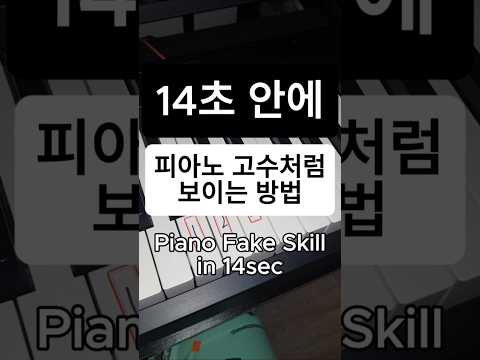
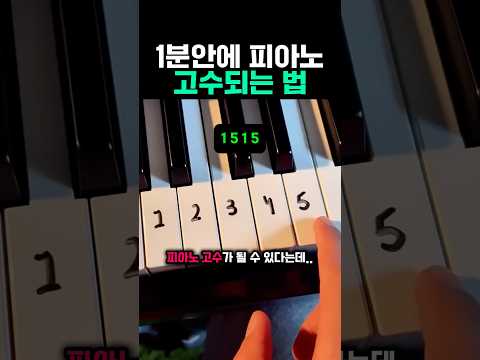
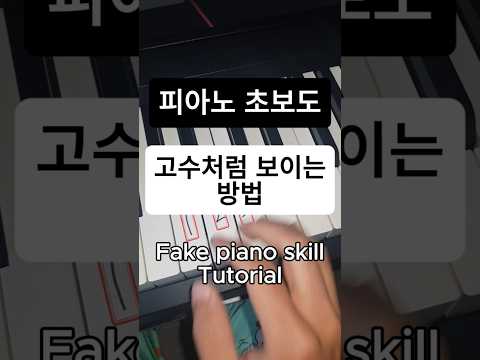
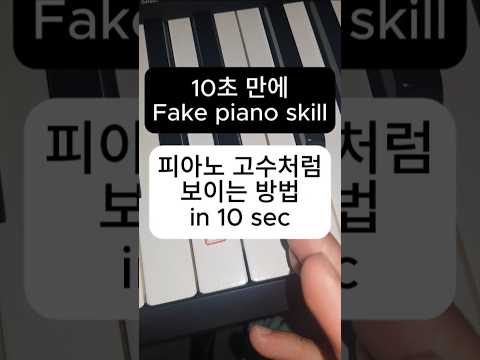
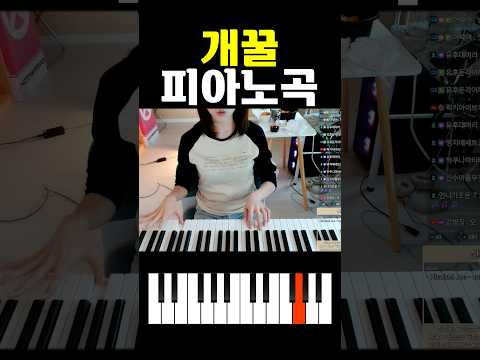
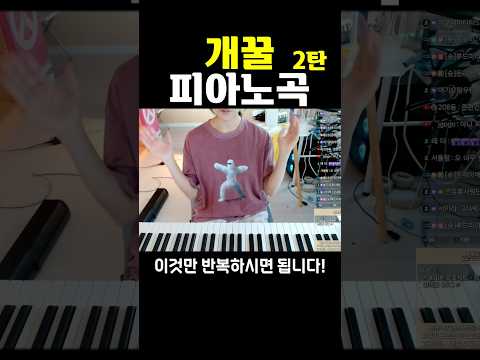
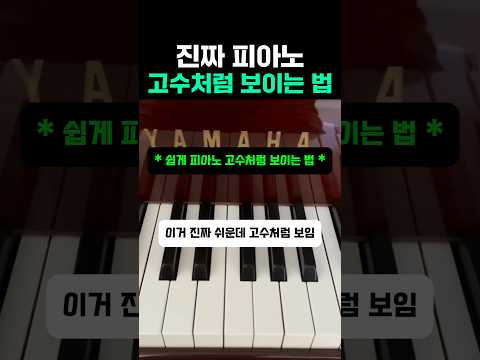
This material introduces a set of carefully selected short video demonstrations designed for beginners in piano performance. Each video provides concise yet practical guidance, enabling even those with minimal experience to appear proficient within a short period of time. The approach emphasizes accessibility, simplicity, and rapid engagement. Additional materials may be appended over time to broaden the scope of practice.
Beyond the introductory shorts, the following full-length demonstration offers a more advanced opportunity to learn and perform. The chosen piece is a piano cover of Guns N' Roses – Sweet Child O' Mine, focusing on mastering the iconic lead melody through piano interpretation.